You Make This House a Home Walkthrough
You Make This House a Home is a free browser domestic horror visual novel for mature audiences 18+. You move in to a spotless house that has clearly been expecting you, and the only unpacking left to do is yours. The build streams into the frame on this page - no download, no install, no signup.
These four frames are all real in-game captures. Between them they show the game's shape: a first-person reading game with a standard Ren'Py quick menu, one playable sequence, and one inspection screen that tells you exactly how it wants you to use it.
A standard Ren'Py frame - learn the menu once
The first capture is a dialogue frame in a bright kitchen. Along the bottom sits the familiar Ren'Py quick menu: Back, History, Skip, Auto, Save, Q.Save, Q.Load, Prefs. If you have played any Ren'Py visual novel you already know these; if not, Prefs is where text speed and auto-advance live, and it is worth setting once before you read properly.
The dialogue box itself shows only an ellipsis. The build lets silence carry a beat. Click anywhere on the frame to advance, and use History rather than scrolling back through the room.
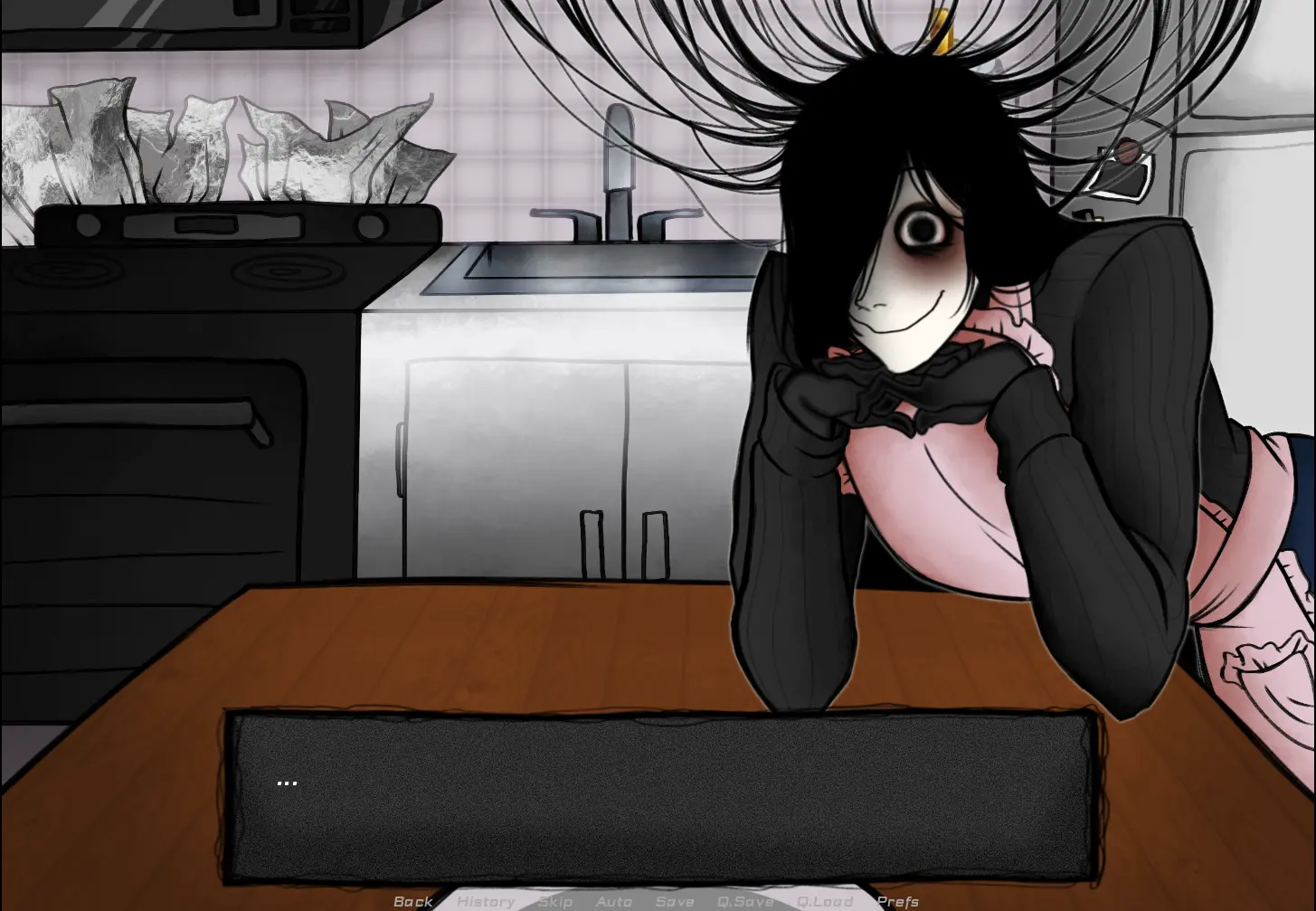
- Quick menu: Back, History, Skip, Auto, Save, Q.Save, Q.Load, Prefs
- Set text speed in
Prefsbefore you settle in - Click anywhere on the frame to advance dialogue
One sequence you actually play
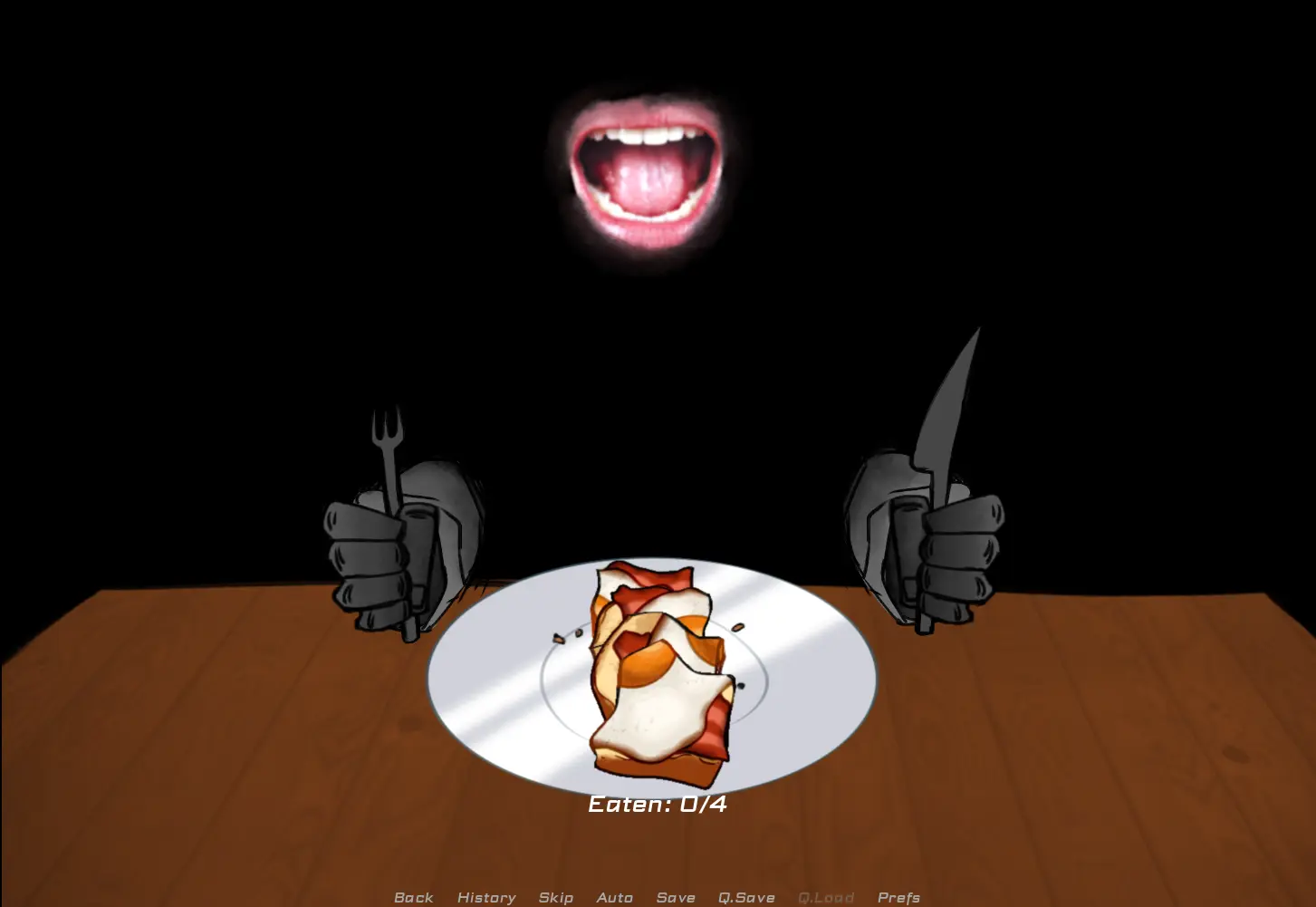
The second capture is the exception to the reading pace. Two grey hands hold a fork and a knife over a plate of bread and apple slices, a mouth hangs open above in the dark, and a counter under the plate reads Eaten: 0/4.
That counter is the whole mechanic: a small timed or click-through sequence rather than a dialogue scene. Nothing about it is action-heavy, but it is the one part of the build where you are doing something instead of reading - and it is where the house stops being a metaphor and starts making a demand.
The box, and how the inspection screen wants you to play
The third capture is the game's best screen. A moving box fills the frame, and the instruction at the top is explicit: Once you've examined everything in the box, click 'continue'. A Continue button sits beneath it, and a second line along the bottom reads Drag items around and click them to inspect.
The contents are ordinary and quietly wrong: a From-Kholo To-You record sleeve, crumpled receipts from The Nook Café listing a black coffee, dried orange flowers, a worn teddy bear with a red ribbon, a black-and-pink cassette, and a swaddled bundle. Nothing is explained. The screen tells you to look, and then it waits.
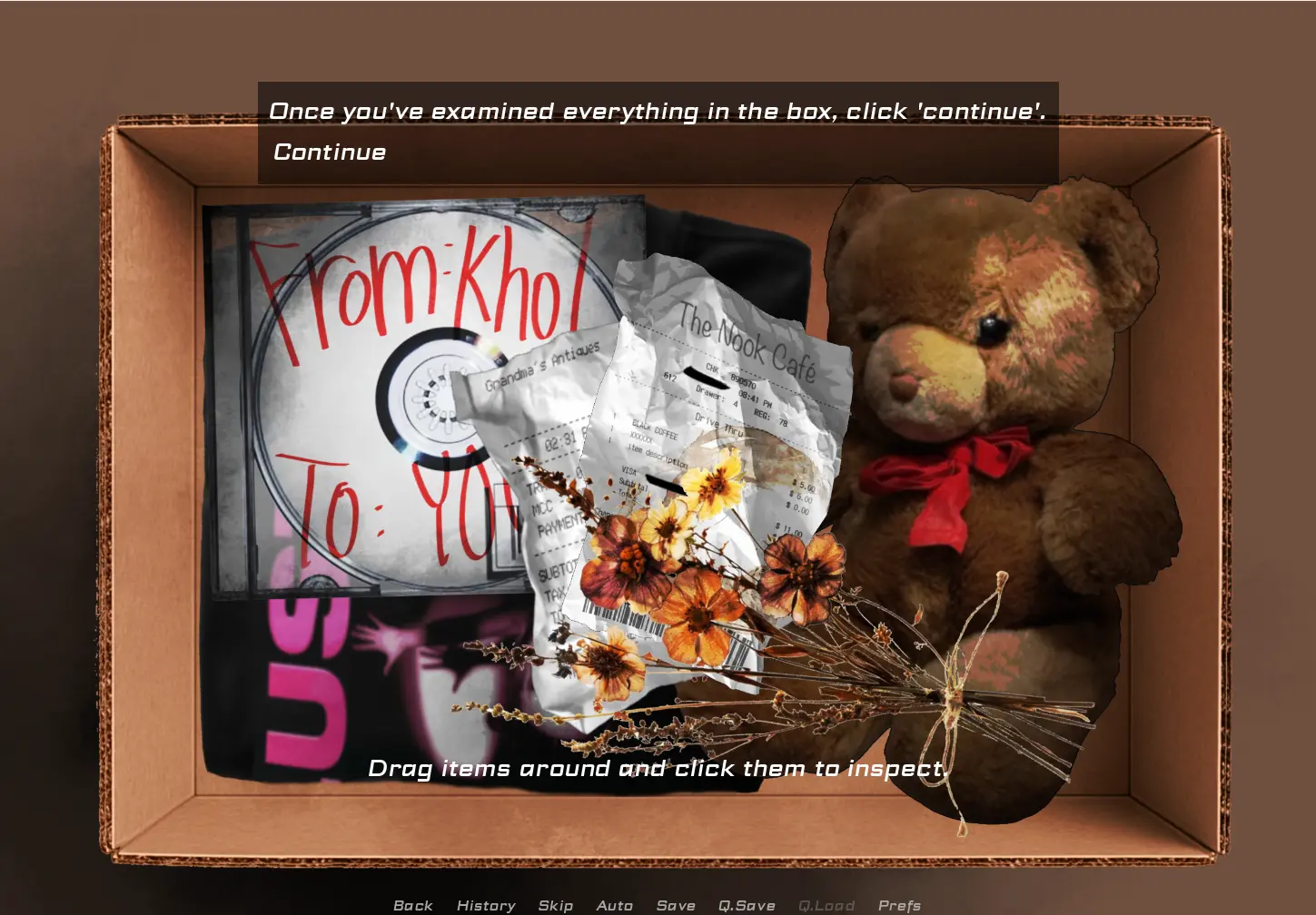
- Drag items to reposition them, click to inspect
Continueunlocks only once everything has been examined- Use
Historyafterwards - inspecting an item writes to the log
Meeting Khol
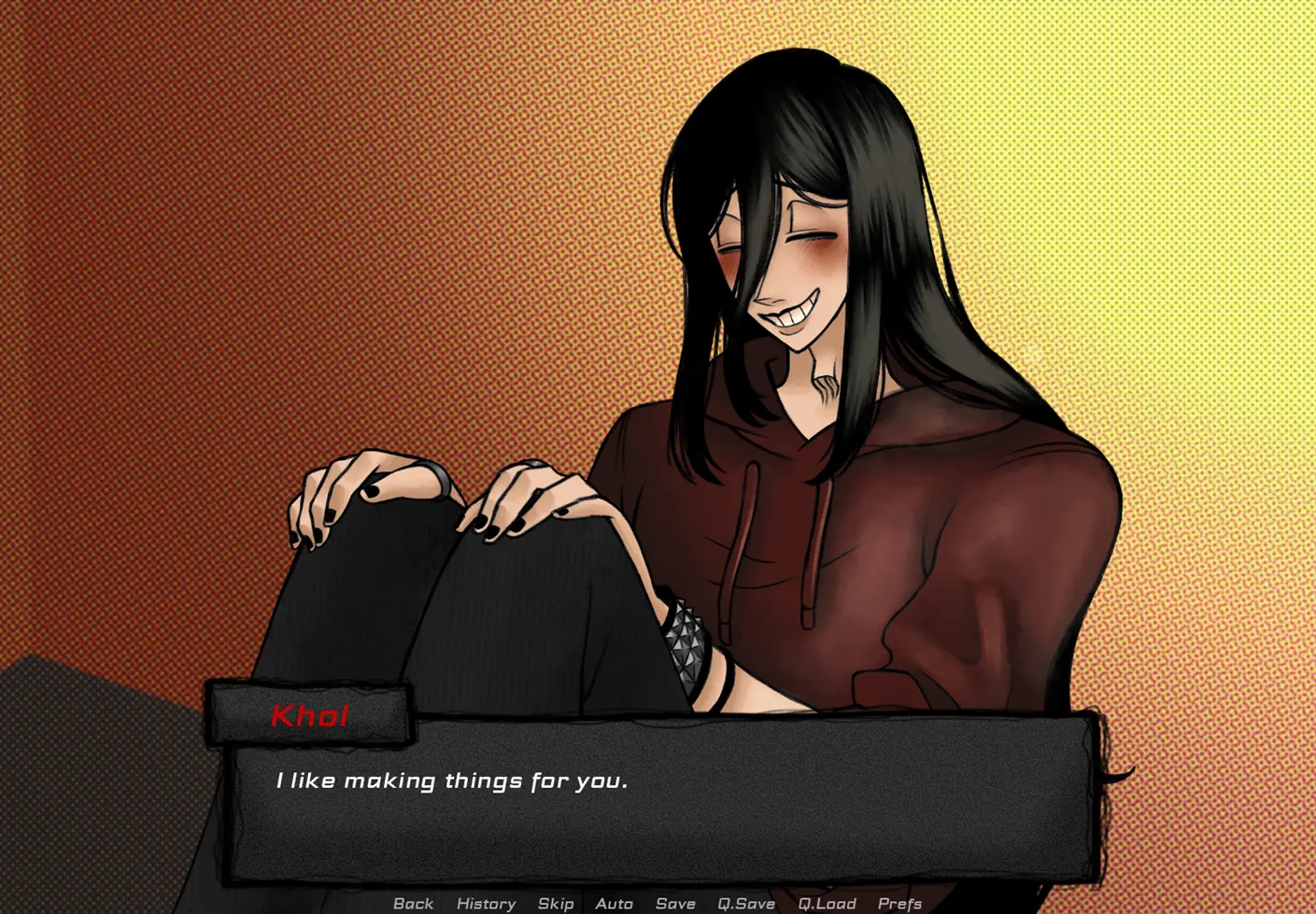
The fourth capture is a character portrait against a halftone-comic background: long black hair over one eye, a maroon hoodie, knees drawn up, and a grin with too much teeth. The name tag reads Khol in red, and the line delivered is I like making things for you.
The name matches the record sleeve in the box. That connection is not explained on screen - it is simply there, sitting in the same run, and it is the kind of small accurate detail the page copy keeps pointing at. Read the names. They recur.
Tips before you start
- Set text speed in
Prefsbefore you read - the build uses silences and ellipses, and slow text undercuts them. - Use
Historyrather than replaying. Names from earlier boxes turn up in dialogue later. - The box screen will not let you continue until every item has been examined. Click everything, including the ones that look like set dressing.
Q.SaveandQ.Loadare separate from full saves - keep a quick save right before each box you open.- Desktop with a mouse is the comfortable way to play; the drag-and-drop inspection is fiddly on a touchscreen. Fullscreen from the page controls if the room feels cramped.
- The eating sequence has its own counter. If a run goes wrong there, load rather than replaying the conversation before it.
Built from the game's real in-game captures - scene tour and tips, no invented plot.
Play You Make This House a Home · More screenshots · All walkthroughs