Killer Chat Walkthrough
Killer Chat is a free browser slasher visual novel for mature audiences 18+, containing stalking, threats and unsettling chat-room content. The build streams into the frame on this page - no download, no install, no itch.io.
What the captures show is not a phone screen. It is a whole desktop rendered in chunky pixels: a chat client, a browser, a voice-call window and a boot screen, each with its own menu row. This guide walks those four screens, because the interface is the game as much as the conversation is.
The chat client, mid-thread
The first frame is a chat client titled SLAUGHTERHOUSE_LOSERS_v.4.4.4.mango, dated October 01, 2024 in the top-right corner. A server and channel list sits on the left, the message history fills the centre under a #main header, and a scrolling member list runs down the right edge.
The menu row across the top is plain text - save, load, history, settings - and a key legend sits under the channel list: < back, || pause, >>| skip, H3 speed. The message box at the bottom is a prompt, not a field: when u Finally Feel Like typing something... you'll know. You are not typing chat replies. You are reading them.
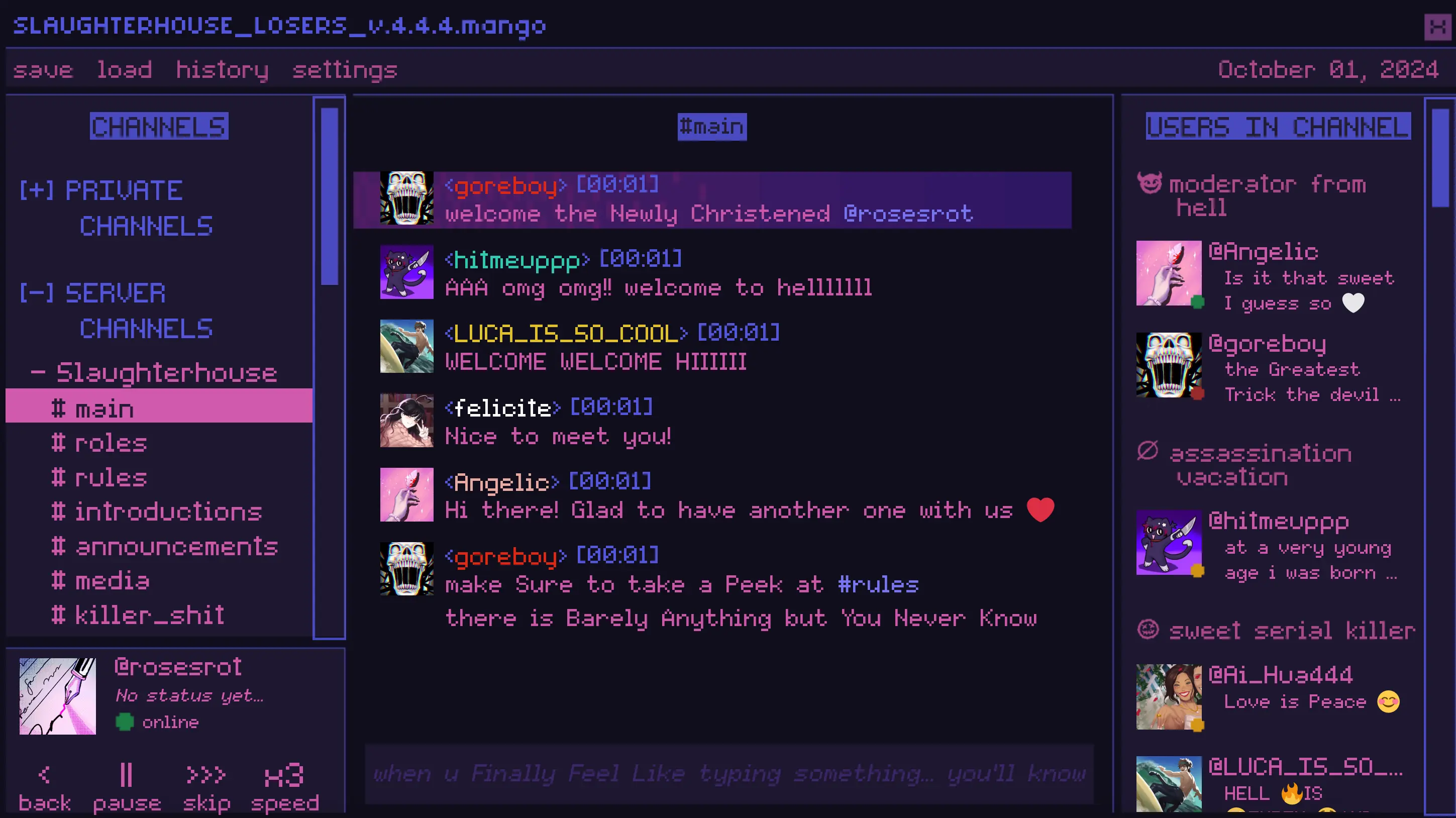
- Menu row: save, load, history, settings
- Key legend:
<back,||pause,>>|skip,H3speed - In-fiction date shown in the corner: October 01, 2024
The verification screen - an avatar you have to earn
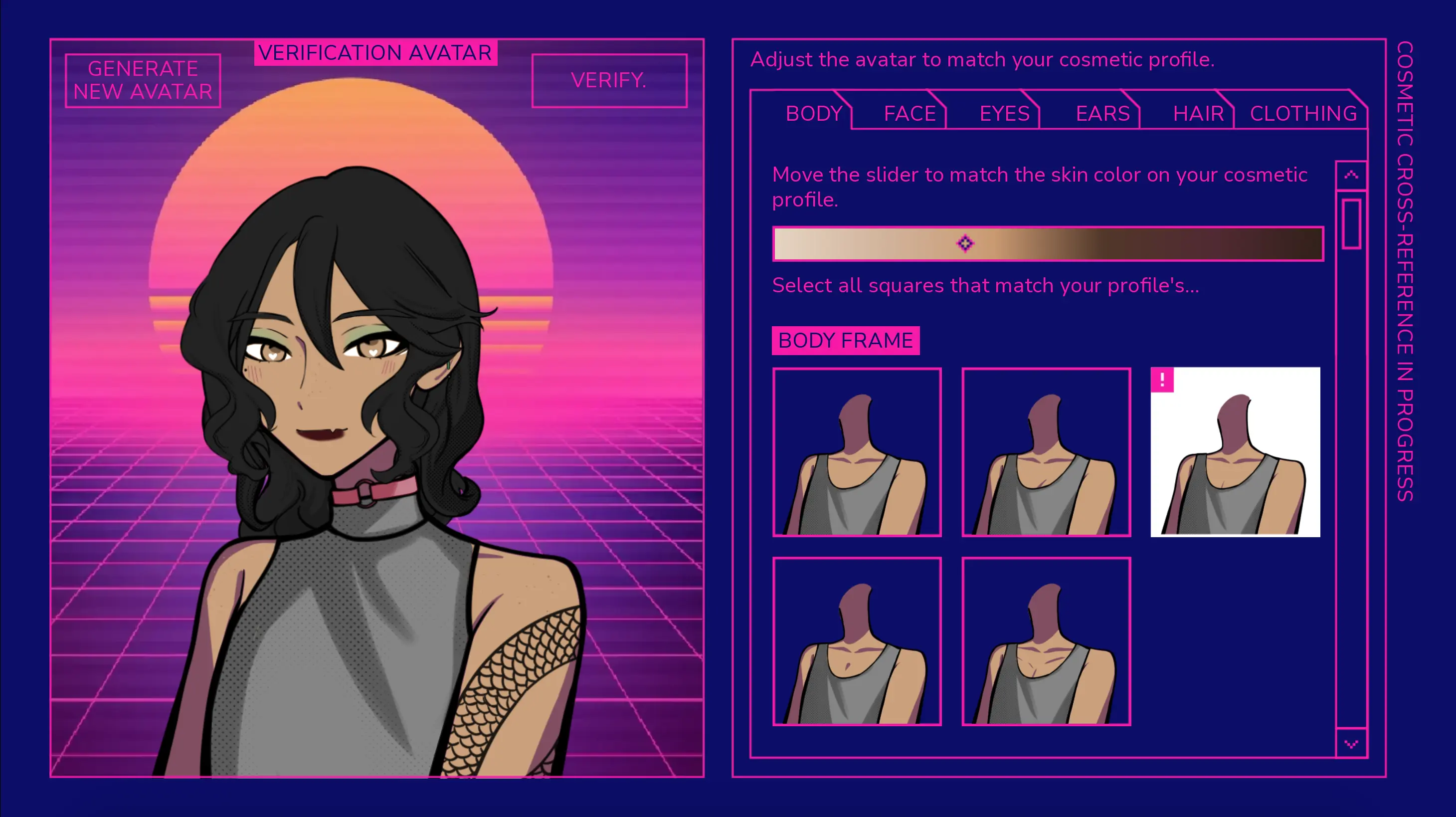
The second frame leaves the chat for a magenta-and-purple screen labelled VERIFICATION AVATAR, with GENERATE NEW AVATAR on the left and a VERIFY. button on the right. On the right-hand panel a cross-reference runs across tabs labelled BODY, FACE, EYES, EARS, HAIR, CLOTHING.
Under the tabs sits a skin-tone slider and a prompt to select the squares that match your profile. This is a checking step, and it is worth slowing down for: the game is asking you to commit to a face before the conversation starts.
The browser inside the game
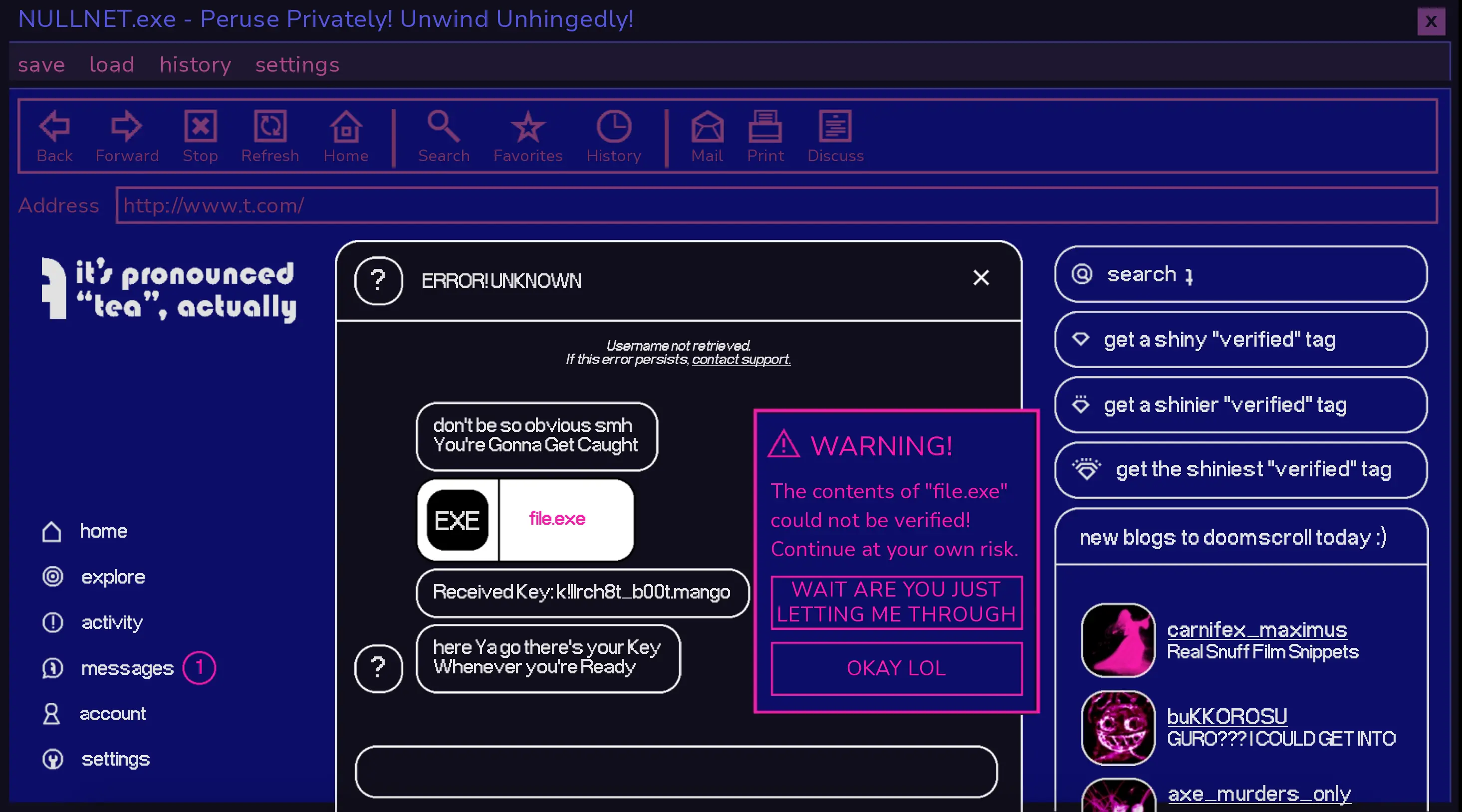
The third frame is a browser window titled NULNET.exe with the tagline Peruse Privately! Unwind Unhingedly!. The toolbar carries Back, Forward, Stop, Refresh, Home, then Search, Favorites, History, Mail, Print, Discuss. The address bar reads http://www.t.com/.
A left rail lists home, explore, activity, messages (with an unread badge), account and settings; the right column is a trending feed of handles with their status lines. Some panels load blank. That is part of the frame - the page says the game is built out of small accurate details rather than set pieces, and a page that half-loads is exactly that kind of detail.
The call window and its live transcript
The fourth frame is a voice call. A large character sprite fills the left, a small inset video window sits top-right, and the status line reads voice connected...|| with signal bars. A right-hand control column offers < back, > auto, >> skip and a hang up button at the bottom.
Dialogue is boxed and labelled LIVE TRANSCRIPT, with the speaker name ROBIN in red above the line - here, a flat statement about owning the place and doing whatever they want. The transcript means you lose nothing by muting, and the presence of auto and skip means you can move through a call at your own pace.
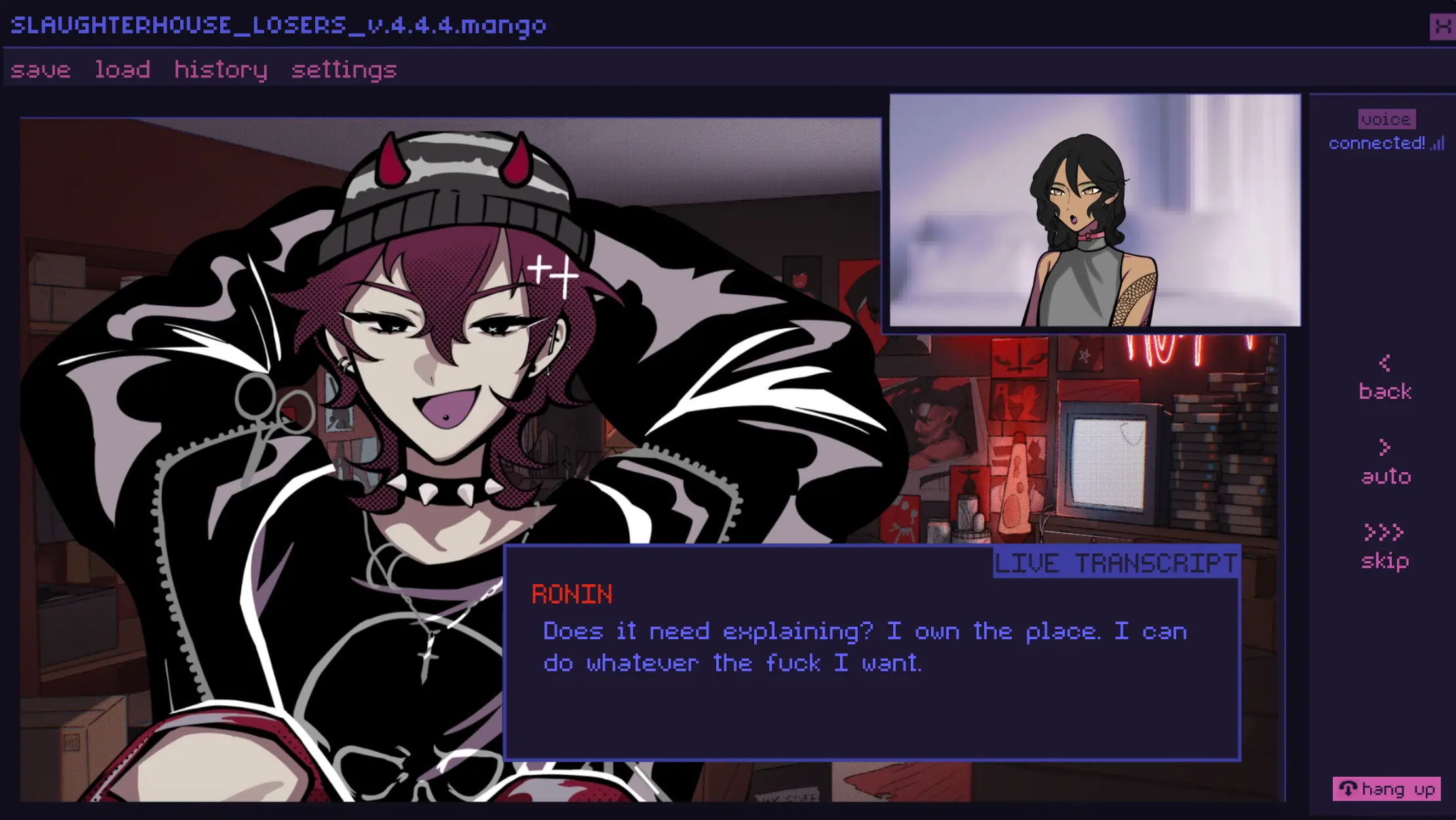
- Call controls:
<back,>auto,>>skip, hang up - Dialogue is captioned in a LIVE TRANSCRIPT box, so audio is optional
- save / load / history / settings stay reachable from the same menu row
Tips before you start
- Every screen in this build has the same menu row - save, load, history, settings - so save often and use history to re-read a line rather than replaying ten minutes.
- Muting is safe: the call window captions everything in a LIVE TRANSCRIPT box, with the speaker's name above the line.
- The chat box is a prompt, not a text field. You advance the thread rather than typing your own messages.
- Skip and auto are shown in the key legend (
>>|skip,H3speed) and in the call window - use them to re-read at speed, not to skip past the framing details. - Use fullscreen on the portal page: this interface is dense and pixel-crisp, and it loses legibility when the frame is small.
- Expect load times. Some in-game panels render blank, as captured above; refresh once if the embedded frame stalls.
Built from the game's real in-game captures - scene tour and tips, no invented plot.