It Paints Me Walkthrough
It Paints Me is a gothic horror visual novel about an artist you never meet face to face. You meet their paintings instead - half-finished portraits locked from the inside, lit by oil lamps, in a studio that smells like turpentine and an envelope you should not read. You came looking for answers about the paintings. The paintings are now looking for answers about you.
This is a scene tour built from real in-game frames, not a walkthrough of branches. Every screenshot here comes from the playable build. What it covers is what the captures show, who is on screen, and the browser controls that matter once you settle in to read. Start with the how to play page if the player has not loaded for you.
The Menu, And The Painter Behind It
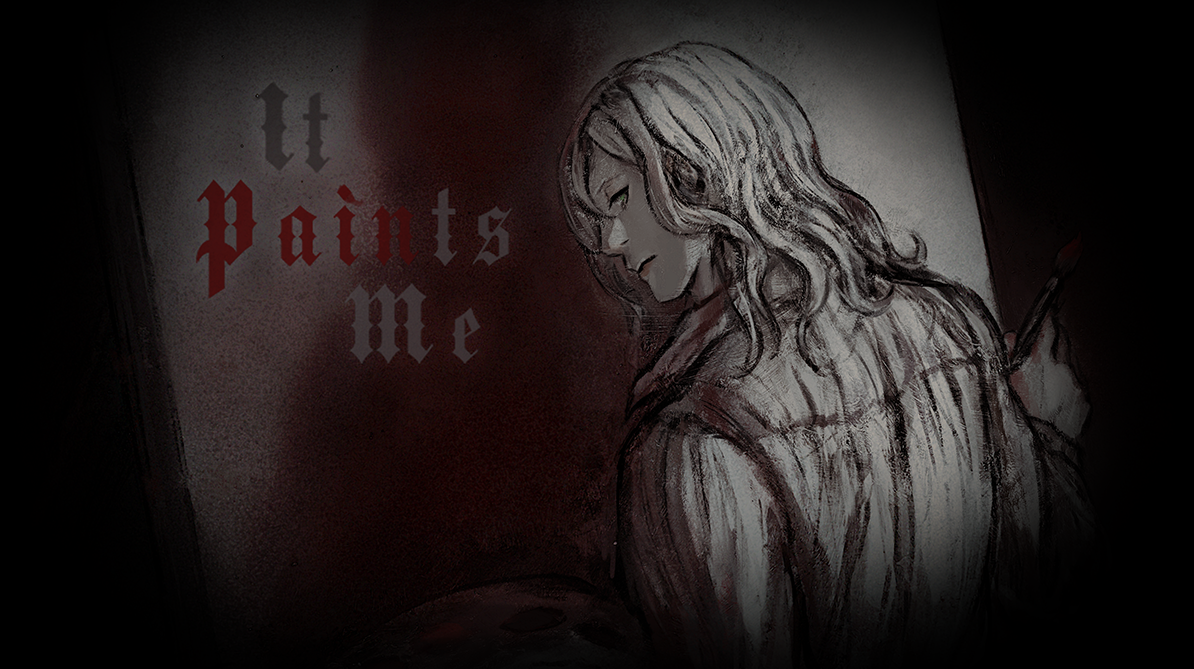
The main menu is the game's title card: It Paints Me in gothic lettering, half of it grey and half of it blood-red, set against a dark background. Beside it stands a pale figure seen from behind, long hair falling over one shoulder, a brush held loosely in one hand.
The figure never turns around in the captures, and they never show you a face. That restraint runs through the whole game - the artist is present in every scene as a hand, a brushstroke and a subject, and almost never as a person you can look at directly.
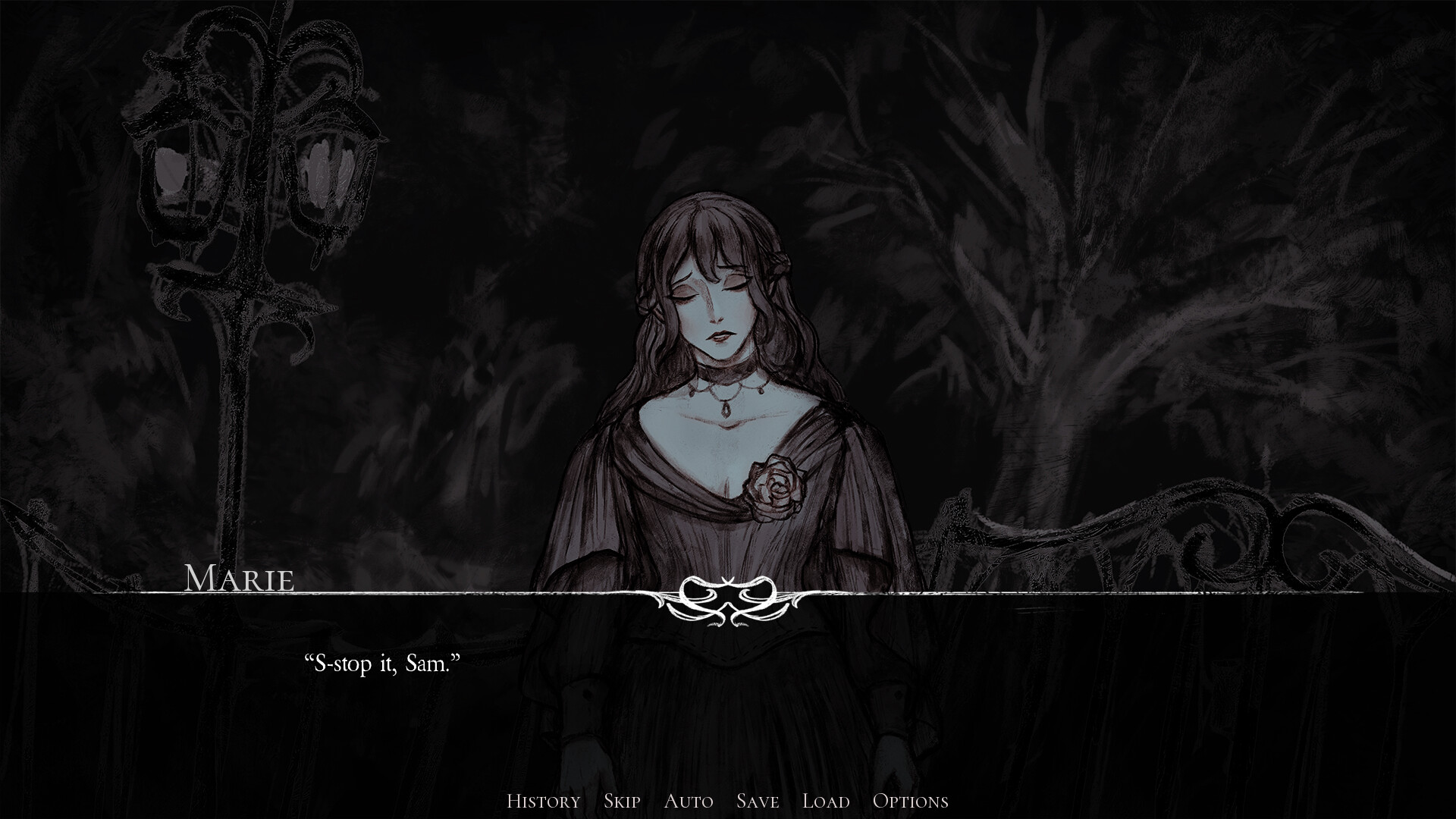
Marie, In The Dark
The clearest dialogue capture shows Marie with her eyes closed, standing in a dark forest of bare, thorny branches. Behind her, an ornate lamp post is carved with two skull faces at the top. A rose is pinned at her chest, and her name appears in an ornate plate above the text, which reads "S-stop it, Sam."
That single line does a lot of work. It tells you the protagonist has a name - Sam - and that Marie is reacting to something Sam has just done. The browser controls sit along the bottom of the same frame as plain text buttons rather than icons.
Snow White Ashes
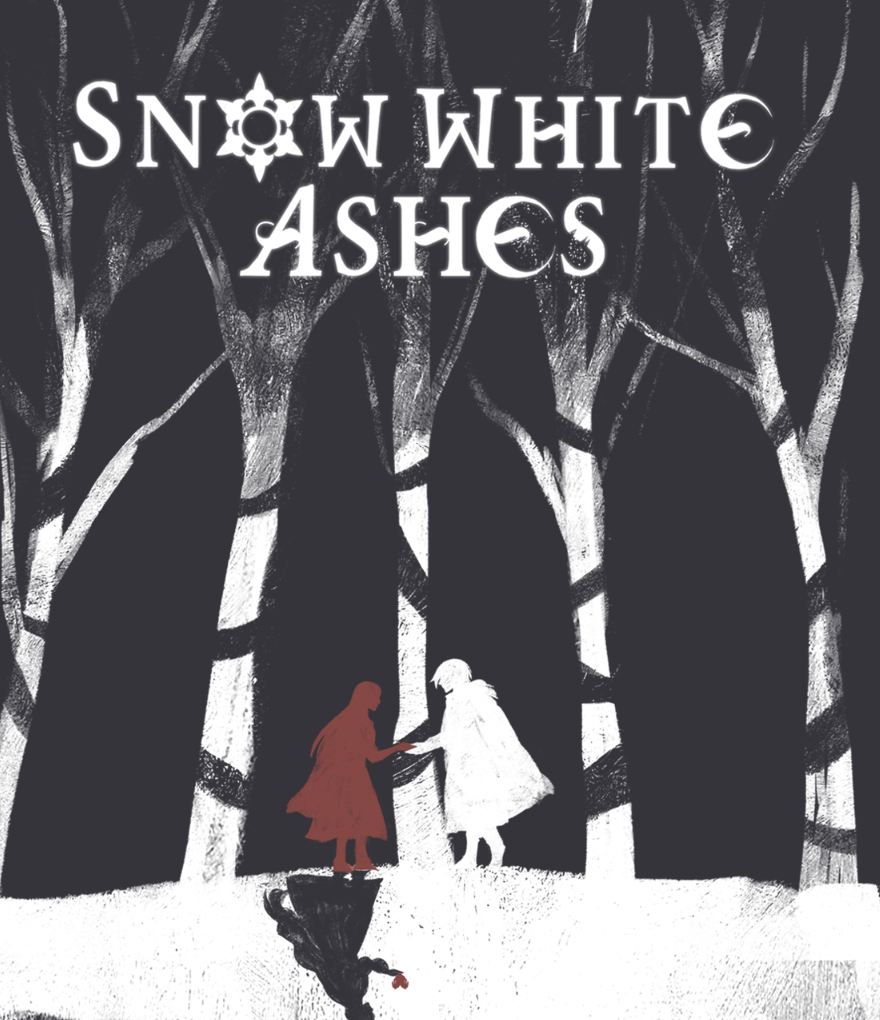
One capture is not a dialogue scene at all but a piece of title art: SNOW WHITE ASHES in tall white lettering over a woodcut-style birch forest. The trunks are white against pure black. Two small figures - one red, one white - stand clasping hands, and below them sits a dark shape with a single red drop falling from it.
The art style is doing something the dialogue cannot: reducing the whole story to two figures and one colour of blood. It is a fair warning about the tone before you get properly into the story.
The Studio In The Captures
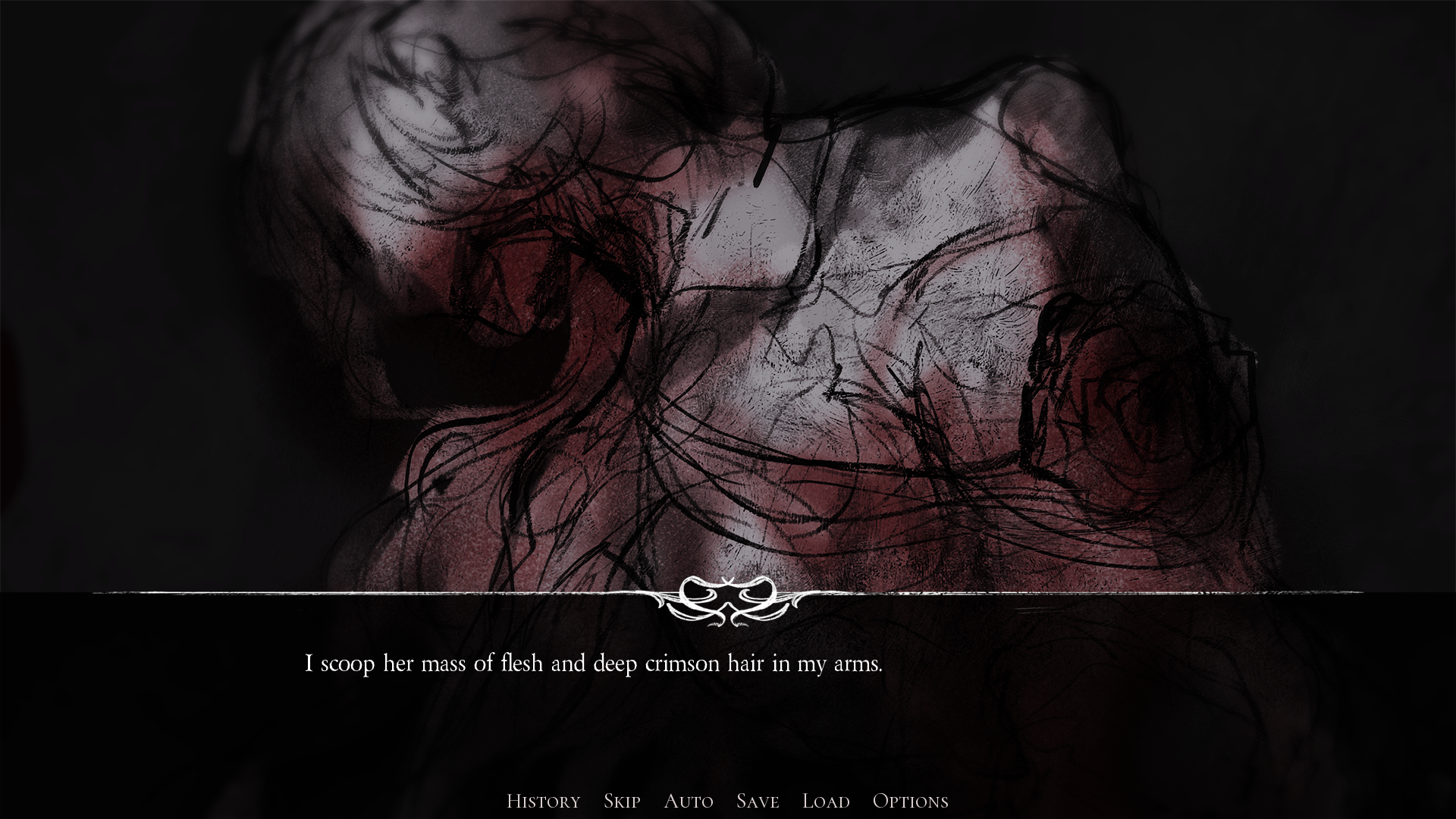
The heaviest frame is a charcoal-style sketch rendered in black, grey and deep red. It shows a body - or the suggestion of one - with a large dark cavity opening across the torso, hair massed around it, the whole thing looking unfinished in the way of a sketch still on the easel. The line of narration beneath reads: "I scoop her mass of flesh and deep crimson hair in my arms."
It is worth noting what the frame does not do: it never shows you the painter's face. The studio stays locked from the inside, the easel stays empty, and the paintings stay one step ahead of you. You never meet the artist face to face - you meet their work.
The Controls In This Build
This build labels its interface in plain text along the bottom of the screen rather than using icons: History, Skip, Auto, Save, Load, with a separate Options entry for preferences. The buttons are easy to miss at first because they sit low and read as part of the artwork.
Everything is reachable on a phone or tablet by tapping, but the art is detailed and the dialogue boxes are wide, so this is one of those games that reads noticeably better in fullscreen on a desktop browser. Saves are local to your browser, so clearing site data will take your progress with it.
Tips before you start
- Read the bottom bar as text, not icons - this build labels every control History, Skip, Auto, Save, Load and Options.
- Use Auto once you know how a scene runs, then click back to manual before any choice appears.
- History keeps every line you have seen. When a painting is described a second time and something feels different, scroll back and compare.
- Skip will run past choices without stopping. Turn it off before you answer or you will miss the decision entirely.
- Save locally and do not clear your browser data - progress is stored in the browser, not on an account.
- Give it a desktop browser in fullscreen. The brushwork and the charcoal shading carry the horror, and both lose detail on a small screen.
Built from the game's real in-game captures - scene tour and tips, no invented plot.